


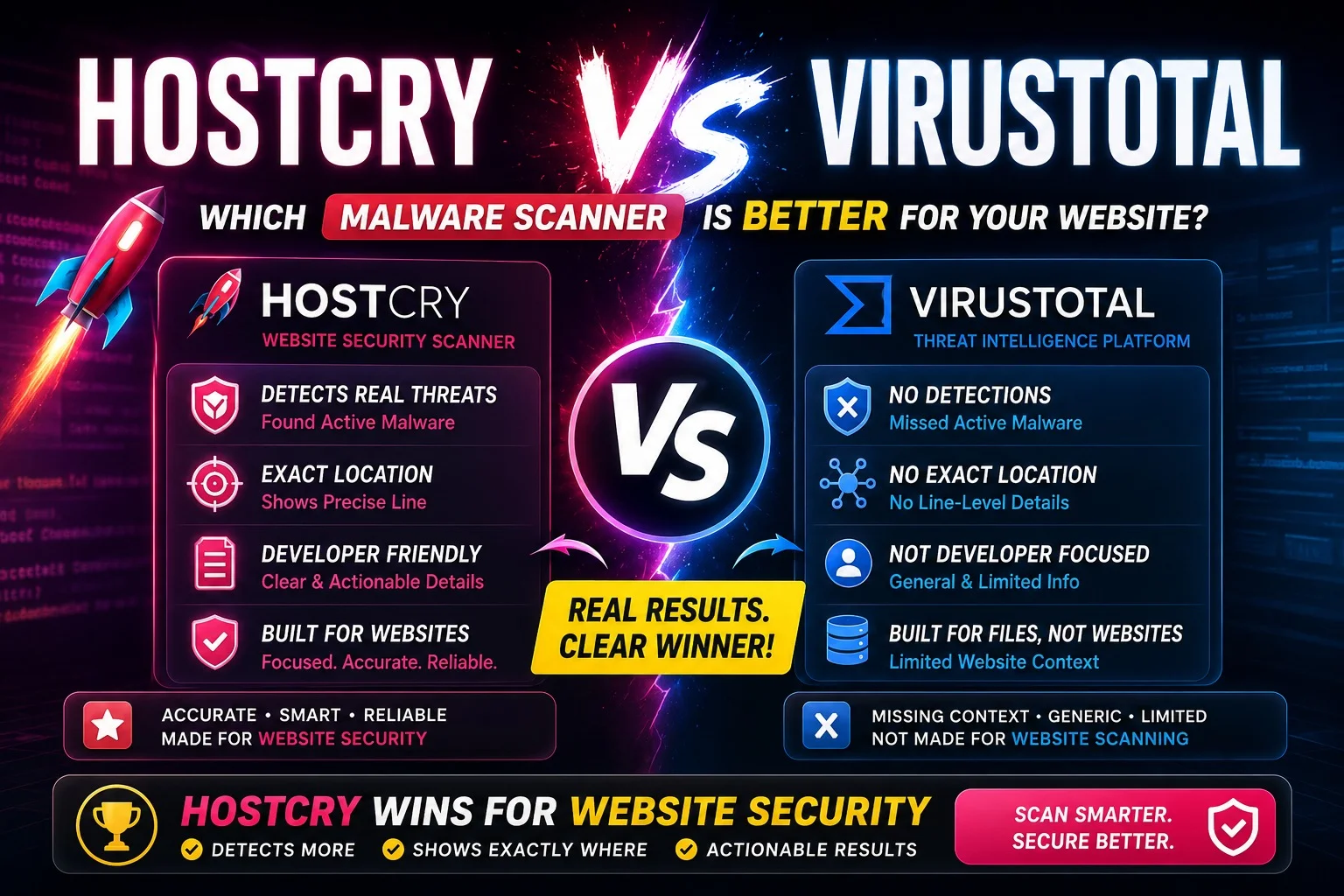
As web developers, website security monitoring is a non-negotiable priority. To put two popular scanning tools head to head, we ran a controlled test on our testing website — injecting a live cryptocurrency miner script and observing exactly how each tool responded.
The Test Setup
A cryptocurrency miner script was injected directly into the homepage of the website at line 51, making it visible in the frontend source code. Both HostCry and VirusTotal then scanned the same public-facing domain remotely — without any access to backend files or databases.
If you want to test your own domain instantly to see what external scripts or vulnerabilities are visible to the public, you can use our official Malware Checker Tool.
Part 1: Feature-by-Feature Comparison (Client-Side Performance)
Because both scans were conducted remotely using only the domain name, both tools analyzed only what was publicly visible ,the rendered HTML, JavaScript execution patterns, and HTTP response headers.
1. Malware Detection Feature
HostCry Scanner Performance
HostCry flagged 2 findings at Risk: High. By analyzing the publicly rendered frontend execution patterns, it successfully identified a cryptocurrency miner script actively running on the homepage at line 51, and the same suspicious behavior detected in the /index.php routing stream.
The dashboard displayed a critical warning.

VirusTotal Performance
VirusTotal scanned the domain across its 92-engine aggregated vendor network and returned a result of 0/92 ,meaning not a single security vendor flagged the URL as malicious. Despite the active miner script executing on the page, VirusTotal detected absolutely nothing at the frontend code level.
VirusTotal is fundamentally a URL and file reputation tool — it checks whether a domain has been globally flagged by security vendors. It does not analyze live frontend source code, does not detect injected scripts, and does not provide any file or line-level context.
Verdict: HostCry wins. It caught the active malware. VirusTotal missed it completely.

2. Reputation & Blacklist Monitoring Feature
HostCry Scanner Performance
HostCry checked domain reputation across 3 authoritative sources:
- Google Safe Browsing → Clean
- PhishTank → Clean
- VirusTotal (aggregated) → Clean
Result: 0 of 3 sources flagged this URL.

VirusTotal Performance
VirusTotal ran the domain through its full 92-engine vendor network, which includes some of the most recognized names in global cybersecurity , Abusix, Acronis, ADMINUSLabs, AlienVault, BitDefender, Blueliv, CRDF, Cyble, Dr.Web, ESET, EmergingThreats, Fortinet, Webroot, Yandex Safebrowsing, ZeroCERT, VX Vault, Viettel Threat Intelligence, and many more.
Result: 0/92 flagged, majority Clean, some Unrated.
It is worth noting that several vendors returned Unrated rather than Clean, meaning they did not have enough data on this domain to decide. This is not the same as a clean bill of health.
Verdict: VirusTotal has broader reputation coverage with 92 engines vs HostCry's 3 sources. However, for reputation monitoring alone, neither tool flagged the domain despite active malware running on it.

3. Software Environment Auditing Feature
HostCry Scanner Performance
By reading HTTP response headers, HostCry successfully identified the complete server environment:
- PHP v8.2.30
- Web Server: vLiteSpeed
This information is immediately useful for developers checking for outdated software versions or known vulnerabilities tied to specific server configurations.

VirusTotal Performance
VirusTotal returned only basic HTTP metadata:
- Status: 200
- Content Type: text/html; charset=UTF-8
- Page tags: text/html, iframes
No server stack details, PHP version, or web server type were identified. VirusTotal does not perform server environment auditing.
Verdict: HostCry wins. VirusTotal provides no actionable server environment data.

4. Security Configuration & Scoring Feature
HostCry Scanner Performance
HostCry generated a structured Security Score of 95/100 (Fair) with three specific configuration findings:
- SSL Certificate checker → Valid and Secure — no action required
- Security Headers → Medium risk — unable to verify externally
- Mixed Content → No issues detected

VirusTotal Performance
VirusTotal provides no security scoring system whatsoever. It returns only a community score — which was neutral and unrated for this domain — alongside the vendor detection count. No SSL check, no header analysis, no scoring breakdown, and no remediation guidance is provided.
Verdict: HostCry wins. Structured scoring with clear remediation steps vs no scoring at all.
Part 2: Technical Analysis, Exact Line Precision vs Reputation-Only Output
When a website is actively compromised, identifying the threat is only half the battle. Knowing exactly where it lives in your codebase is what determines how fast you can fix it.
1. HostCry: Precision Line-Level Mapping
HostCry maps suspicious frontend behavior directly to specific source file locations.
Key findings from the scan:
- Threat: Cryptocurrency miner script
- Risk Level: HIGH
- Exact Location: Homepage — line 51
This means a developer can open the file, jump directly to line 51, and remove the malicious code immediately — without manually searching through the entire codebase.
2. VirusTotal: 92-Engine Reputation Network, But No Code Analysis
VirusTotal's strength is its massive reputation network. Across 92 vendor engines, including global antivirus companies, threat intelligence platforms, and malware detection systems, it provides one of the most comprehensive URL reputation checks available anywhere.
However, for the same domain with an active cryptocurrency miner running at line 51, VirusTotal returned clean across all 92 engines. This is because VirusTotal does not analyze frontend source code. It only checks whether the URL itself has been reported or flagged by any of its vendor partners.
The vendors that did respond returned Clean. Several others, including alphaMountain.ai, ArcSight Threat Intelligence, Bfore.Ai PreCrime, ChainPatrol, Criminal IP, and others, returned Unrated — meaning no verdict was available for this domain.
Part 3: Complete Comparison Table
| Feature | HostCry Scanner | VirusTotal |
|---|---|---|
| Malware Detected | ✅ 2 findings — Risk: High | ❌ 0/92 — Missed |
| Cryptominer Found | ✅ Yes — Homepage line 51 | ❌ Not detected |
| Reputation Engines | 3 sources | 92 vendor engines |
| Unrated Vendors | Not applicable | Several vendors unrated |
| Server Stack Info | ✅ PHP 8.2.30 + vLiteSpeed | ❌ Not available |
| Security Score | ✅ 95/100 — Fair | ❌ No score system |
| SSL Verification | ✅ Valid and secure | ❌ Not checked |
| Line-Level Mapping | ✅ Exact file + line number | ❌ Not available |
| Remediation Guidance | ✅ Structured steps | ❌ None provided |
| Developer Actionability | ✅ High | ❌ Low |
Part 4: What Each Tool Is Actually Built For
Understanding the result of this test requires understanding what each tool was actually designed to do.
VirusTotal was built as a multi-engine URL and file reputation aggregator. Its purpose is to check whether a domain, file, or URL has been flagged by any of the 92+ security vendors in its network. It is exceptional at this. If a domain is globally blacklisted, VirusTotal will almost certainly catch it. But it was never designed to scan your live frontend source code, detect injected scripts, or provide developer-facing remediation guidance.
HostCry was built as a website security scanner. Its purpose is to analyze what is actually running on your website including scripts executing in the frontend, server configuration, SSL status, and security headers , and present findings in a way that developers can immediately act on.
These are two fundamentally different tools solving two different problems.
Why Choose HostCry for Web Security
External scanners are useful for quick checks, but they only analyze what is publicly visible. Hidden backdoors, inactive shells, or deep file-level infections cannot be fully detected externally.
HostCry enhances security by offering automated server-side scanning, included free with all HostCry web hosting plans, that checks:
- Backend files
- Databases
- Configuration layers
- Real-time threat detection
This ensures deeper protection beyond surface-level scanning.
Part 5: Final Verdict
For this controlled test with a live cryptocurrency miner injected at line 51 of the homepage, the results were clear.
HostCry detected the active malware, identified its exact location, generated a structured security score, and provided actionable remediation steps.
VirusTotal detected nothing at the code level, returned clean across all 92 reputation engines, and provided no developer-facing guidance.
If your goal is to know whether your website has been hacked, what is running on it, and exactly where to look, HostCry is the tool for the job.
If your goal is to check whether a domain has been globally blacklisted or reported by major security vendors, VirusTotal remains one of the best free tools available.
For complete website security, use both — but rely on HostCry as your primary scanner and VirusTotal as a supplementary reputation check.
Scan Your Website Now
Want to check whether your website is exposing suspicious scripts, malware indicators, or security weaknesses?
Run a free scan using the HostCry Web Security Tool and receive an instant security report.
Need continuous protection? Explore HostCry hosting plans that include automated malware scanning and proactive security monitoring at no additional cost.